

Your office desk is one of the germiest surfaces you’ll touch all day. Research suggests it can harbour up to 400 times more bacteria than a toilet seat. Most of us give it a quick wipe and move on, but that’s rarely enough to keep illness at bay. Understanding how to clean office desk surfaces properly and how often is one of the easiest ways to protect your health and stay productive throughout the week.
Why a Clean Desk Actually Matters
A cluttered or dirty desk doesn’t just look unprofessional, it quietly affects your focus, immune health, and even your mood. Dust, food crumbs, skin cells, and airborne particles build up fast on flat surfaces, especially in busy open-plan offices. In Australian workplaces, where hot-desking and shared spaces have become increasingly common, the hygiene stakes are even higher.
What You’ll Need Before You Start
Before diving in, gather the right supplies so the job is quick and thorough. Using the wrong products can damage your desk surface or leave behind residue that attracts more dirt. Here’s what to have on hand:
- Microfibre cloths (at least two one damp, one dry)
- A mild all-purpose spray cleaner (e.g. Windex Multi-Surface or Ajax)
- Disinfectant wipes or 70% isopropyl alcohol solution (available at Chemist Warehouse or Priceline)
- A soft brush or can of compressed air for the keyboard
- Cotton swabs for tight corners, cable gaps, and phone speaker grilles
Step-by-Step: How to Clean Office Desk Properly
Step 1: Clear and Declutter First

Remove everything from your desk monitor, stationery, devices, and personal items. This gives you full access to the surface and lets you clean underneath objects that rarely get moved. It’s also a good chance to toss out anything that doesn’t need to be there.
Step 2: Dry Dust Before You Wet Wipe
Use a dry microfibre cloth or soft brush to remove loose dust and debris before applying any liquid. Going in with a wet cloth first just smears particles into scratches and corners. Always work from the back of the desk forward to push debris off the edges, not across the surface.
Step 3: Wipe Down the Entire Surface
Lightly spray your all-purpose cleaner onto a microfibre cloth never directly onto the desk itself. Wipe the full surface in long, even strokes to lift everyday grime. On timber or laminate desks, always wipe in the direction of the grain to avoid streaking or surface wear.
Step 4: Don’t Forget the Screen and Monitor
Your screen is touched far more than most people realise, and it needs its own approach. Use a clean, dry microfibre cloth specifically for your monitor, never the same cloth used on your desk surface. For stubborn smudges, very slightly dampen the cloth with distilled water, and never spray anything directly onto the screen.
Step 5: Tackle the Keyboard, Mouse, and Phone
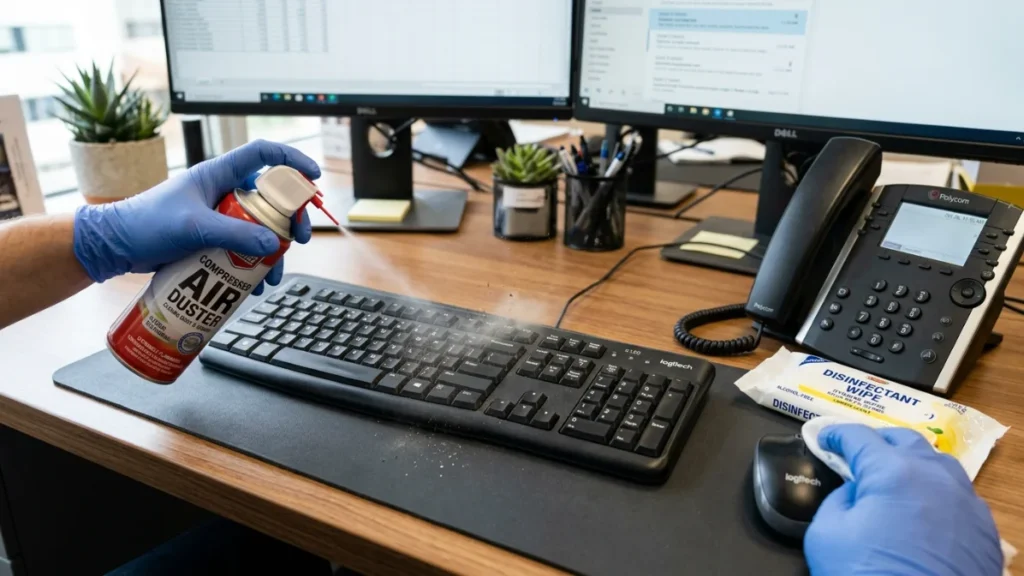
These are the germiest items on your desk, yet they’re cleaned least often. Use a can of compressed air to blast debris from between keyboard keys, then follow up with a disinfectant wipe on all surfaces. Your desk phone handset and charging cables also deserve a wipe; they’re touched constantly and almost never cleaned.
How to Disinfect Office Desk Surfaces Correctly
Cleaning removes visible dirt, but it doesn’t kill viruses and bacteria. That’s what disinfection does. To properly disinfect office desk surfaces, you need a product with proven antimicrobial action and you need to use it correctly.
The step most people skip is contact time (also called dwell time) the amount of time the disinfectant must stay wet on the surface to actually work. Most disinfectants need 30 seconds to 2 minutes of contact time to be effective. Wiping it off too soon dramatically reduces its effectiveness.
Here’s a quick reference:
| Product | Active Ingredient | Required Contact Time |
| Dettol Disinfectant Spray | Benzalkonium chloride | 30 seconds |
| Glen 20 Surface Spray | Ethanol 62% | 10 seconds |
| 70% Isopropyl Alcohol (IPA) | Isopropyl alcohol | 30 seconds |
| White King Disinfectant Wipes | Quaternary ammonium | 60 seconds |
Apply the product, let it sit for the required time, then wipe off with a clean cloth. This small change makes an enormous difference especially during cold and flu season.
How to Sanitise Office Desk And Why It’s Different to Disinfecting
Many people use “sanitise” and “disinfect” as if they mean the same thing, but they don’t and the difference matters when choosing the right product for the job.
| Term | What It Does | Best Used When |
| Cleaning | Removes visible dirt and debris | Daily before eating at your desk |
| Sanitising | Reduces bacteria to a safe level | After sharing a desk with someone |
| Disinfecting | Kills most viruses and bacteria | After illness or during flu season |
To sanitise office desk surfaces effectively, look for products labelled “hospital-grade sanitiser” or those containing at least 60% alcohol. In shared workplaces, a quick sanitise at the start and end of each shift is a practical minimum particularly for hot-desk environments.
Natural and DIY Cleaning Options
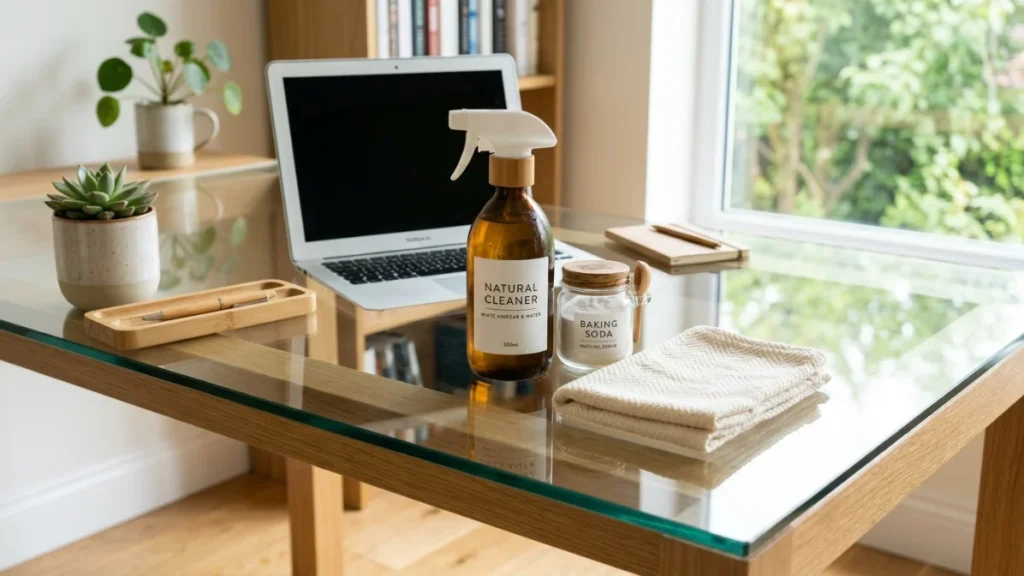
Not everyone wants to reach for a chemical spray every day, and that’s completely fair. Some simple natural alternatives work well for everyday cleaning just understand their limitations.
- White vinegar and water (1:1 ratio): Effective for cutting through light grease and grime on laminate and glass desks. Not recommended for natural stone or timber.
- Bicarb soda paste: Useful for tackling stubborn stains on desk surfaces. Apply, let sit for a few minutes, then wipe away.
- Diluted dish soap: A few drops in warm water is safe for most surfaces and great for daily use when you don’t need full disinfection.
One important note: natural solutions don’t disinfect. Vinegar, for example, is not registered as a disinfectant in Australia and won’t reliably kill cold or flu viruses. Use them for everyday cleaning and reach for a registered disinfectant when illness has been going around.
Best Way to Clean Office Desk Based on Material
The best way to clean office desk surfaces changes depending on what your desk is actually made from. Using the wrong product can strip finishes, cause swelling in timber, or leave permanent marks on glass.
| Desk Material | Best Cleaner | What to Avoid |
| Laminate | Mild detergent or all-purpose spray | Abrasive sponges, acetone |
| Solid timber | Timber-safe cleaner, minimal moisture | Excess water, bleach, vinegar |
| Glass | Glass cleaner or diluted white vinegar | Ammonia-based sprays |
| Metal frame | All-purpose spray, dry finish | Moisture left sitting on joints |
| Acrylic / perspex | Mild soap and water only | Alcohol-based sprays (can cloud the surface) |
Always test a new product on a small, hidden area first especially on older or painted surfaces.
Cleaning a Shared or Hot-Desk Workspace
Hot-desking is now standard in many Melbourne offices, which creates a higher hygiene responsibility for everyone. When you’re sharing a desk with different people throughout the day or week, a basic wipe-down isn’t enough.
Before sitting down at a shared desk, do a quick 60-second clean:
- Wipe the full desk surface with a disinfectant wipe
- Wipe the keyboard, mouse, and any shared peripherals
- Wipe the desk phone handset if you plan to use it
- Sanitise your hands before and after
If your workplace doesn’t provide cleaning supplies at shared desks, it’s worth raising this with your office manager. It’s a reasonable workplace health and safety expectation.
How to Clean Your Desk After Illness
If you or a colleague has been unwell particularly with a respiratory illness a standard clean won’t cut it. You’ll want to do a proper disinfection clean that covers every surface in the work area.
- Wear disposable gloves for the full clean
- Start with a general wipe-down to remove visible contamination
- Apply a registered disinfectant to all desk surfaces and let it sit for full contact time
- Pay extra attention to high-touch areas: keyboard, mouse, chair armrests, desk lamp switch, drawer handles
- Bag and dispose of all wipes and gloves immediately after
If the illness was particularly severe or the person was unwell at their desk for an extended period, consider professional sanitisation rather than a DIY effort.
How Often Should You Clean Your Desk?
Consistency matters more than intensity. A thorough once-a-month clean won’t make up for five weeks of daily neglect. Stick to this simple routine:
- Daily: Clear clutter, quick dry wipe of the main surface
- Weekly: Full damp wipe-down with all-purpose cleaner, plus keyboard and mouse
- Monthly: Deep clean including cables, under-monitor, desk drawers, chair arms, and monitor screen
- After illness: Full disinfection clean as above, regardless of where you are in the cycle
- Seasonally: Consider a professional workplace clean for a thorough reset
Common Mistakes to Avoid
Even well-meaning cleaning habits can cause damage or fall short of actually removing germs. Watch out for these:
- Spraying product directly onto the desk always apply to the cloth first
- Using the same cloth on your screen as on your desk surface
- Wiping off disinfectant before the required contact time has passed
- Forgetting the underside of the desk edge where hands rest and grip
- Skipping the phone, keyboard, and mouse entirely
- Using bleach on laminate or timber it strips the surface and causes permanent discolouration
When to Call in the Professionals
There are times when a DIY clean simply isn’t enough particularly in large open-plan offices, after extended illness, or when a workspace hasn’t had a thorough clean in months. If your office has seen a round of illness going through the team, or if the desks, shared equipment, and common areas are overdue for a reset, it’s worth bringing in professional help.
Office Cleaning Services in Melbourne can cover the kind of deep-access cleaning that everyday wiping misses including under-desk areas, shared equipment, touch points, and high-traffic zones that build up grime fast. For a complete workplace reset, Deep Cleaning in Melbourne goes well beyond the surface, giving your whole office environment a thorough, professional-grade clean.
Conclusion
Knowing how to clean office desk surfaces the right way isn’t complicated, it just takes the right products, the right technique, and a consistent routine. Whether you’re doing a quick daily wipe or a full post-illness disinfection clean, the effort pays off in fewer sick days, better focus, and a more pleasant place to work.
If you’re ready to take the guesswork out of workplace hygiene, Beaurex Cleaning is Melbourne’s trusted local choice. A family-run business with deep experience in office and commercial cleaning, Beaurex brings the same attention to detail to your workspace that they’d bring to their own. Get in touch today and let your team focus on the work that matters, in a space that’s genuinely clean.
FAQs
1. How Often Should You Clean Your Office Desk?
A quick wipe every day keeps dust and germs under control. Give it a proper clean weekly, and do a deeper disinfect when someone’s been crook.
2. What Is the Best Way to Clean an Office Desk Daily?
Use a microfibre cloth with a mild cleaner to wipe down the surface. Don’t forget the keyboard, mouse, and phone, as they cop the most grime.
3. How Do You Disinfect an Office Desk Properly?
Use a proper disinfectant and let it sit for the recommended contact time before wiping. That’s what actually knocks out germs, not just moving dirt around.
4. Can You Use Household Products to Clean an Office Desk?
Yes, mild soap, vinegar solutions, and gentle sprays can work for everyday cleaning. For proper germ control though, use a registered disinfectant.
5. What Should You Avoid When Cleaning an Office Desk?
Avoid spraying cleaner straight onto the desk or using harsh chemicals like bleach. They can damage surfaces and leave lasting marks.
6. How Do You Clean a Shared Hot Desk Before Use?
Give the desk, keyboard, and mouse a quick disinfecting wipe before you settle in. In shared workspaces, that quick clean goes a long way.